

If you have ever needed to pay taxes, school fees, or government charges online, You will realize that many institution uses Remita for her payment. However, any payment failures on www.remita.net happen simply because users do not understand how the Remita Retrieval Reference (rrr) number works or how to generate it correctly.
This guide walks you through an easy and safe way to generate RRR on the remita website and complete your payment without stress. By the end, you will understand the process clearly, avoid common mistakes, and complete transactions confidently from start to finish.
Read also: Top 15 Online Free Payment Gateway in Nigeria
Why You Must Know How to Generate RRR
It helps you:
- Avoid failed or pending transactions
- Prevent paying into the wrong account
- Track payment status easily
- Resolve payment disputes faster
In addition, Most institutions will also request your RRR before recognising or processing your payment.
How to Generate RRR on the Remita Website
Follow these steps carefully to generate a valid RRR.
Step 1: Visit the Official Remita Website
Open your browser and go to https://www.remita.net. Always ensure you are using the official website.
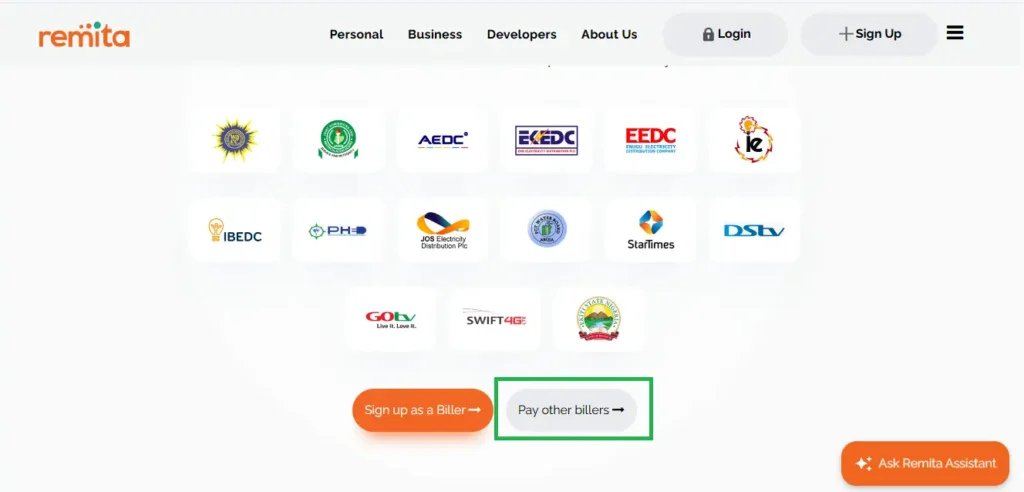
Step 2: Click on “Pay other Billers”
On the homepage, select Pay other Billers. This option allows you to generate rrr for government agencies, schools, and registered organizations.
Step 3: Select the Correct Payment Category
Choose the category that matches your payment purpose, such as:
- Federal or State Government payments, School or educational fees, Corporate or private organization payments
- The purpose of making the payment
Selecting the correct category ensures your RRR is accepted.
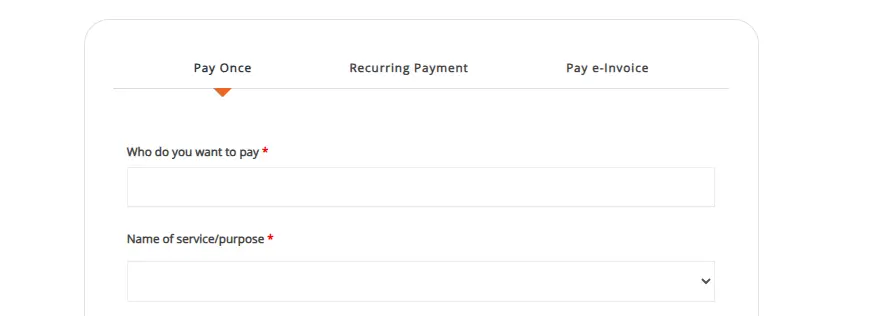
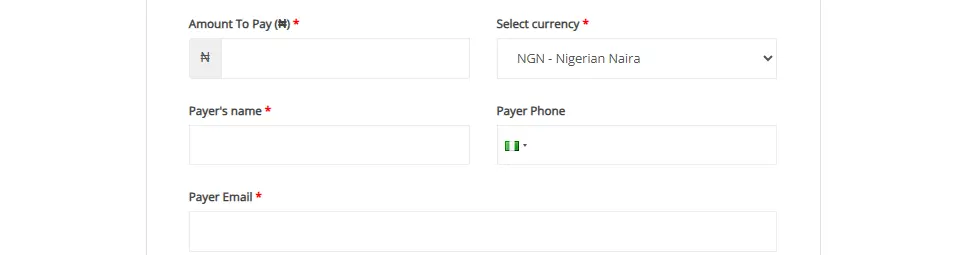
Step 4: Enter Your Payment Details
Provide accurate information, including:
- Your full name
- Email address and phone number
- Payment amount
- Select a Currency
Take a moment to review these details before proceeding.
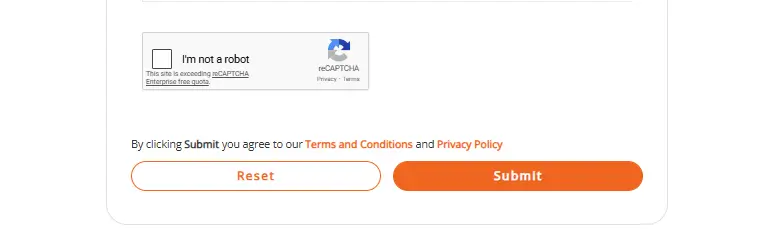
Step 5: Generate the RRR
Click on Submit, and the system will instantly issue your unique Remita Retrieval Reference (RRR) number.
At this point, you would have successfully generated your rrr on the Remita website.
Read also: Step By Step Guide on How to Create a Personal Budget in 2026
Common Mistakes to Avoid When Generating RRR
To avoid issues, do not:
- Enter incorrect contact details
- Choose the wrong organisation or payment category
- Attempt payment without generating an RRR
- Misplace or share your RRR unnecessarily
Keeping your RRR safe ensures smooth verification.
Why the Remita Website Is a Trusted Payment Platform
The Remita website offers:
- Secure and traceable transactions
- Multiple flexible payment options
- Easy payment confirmation
- Nationwide acceptance
These features make Remita a dependable choice for digital payments.
Frequently Asked Questions
Conclusion
Understanding how to generate RRR using the Remita website is essential for making secure, traceable, and successful payments. By following the correct steps, choosing the right payment category, and confirming your transaction, you eliminate unnecessary delays and errors.
Whether you are paying taxes, school fees, or service charges, This information gives you full control and confidence throughout the payment process.